<img src="https://i.canddi.com/i.gif?A=f0f63a3d3d2d596f1b8c53b1e727e618">

Which Document Scanner Do You Need?

Choose a scanner around your document types, daily volume, connection requirements and the software that will receive the scanned information.

Everyday Office Scanning

Start with document size, feeder capacity and how many people will use the scanner. Check whether you need USB, network or wireless connectivity.

High-Volume and Archive Scanning

Compare throughput, daily volume, paper feeding and document protection. Include preparation and checking time when planning your workload.

Data Capture and Document Routing

For invoice processing or other document workflows, consider the capture software and destination system as well as the scanner.

Read the Business Scanner Buying Guide →

What Makes a Scanning Solution?

A document scanning solution combines a scanner with software to capture images, extract information and send documents to the next stage of a business process.

Check These Requirements Before You Buy

  • Paper sizes, weights and condition
  • Pages per day and peak scanning periods
  • Image quality and OCR requirements
  • Feeder capacity and duplex scanning
  • Flatbed or passport accessories
  • Connectivity and document destinations
  • Warranty, support and replacement options
Scanning in Practice: University of Edinburgh

The university chose a scanner, software and a DocTech support package for self-service digital archiving, including advanced unit replacement and technical support.
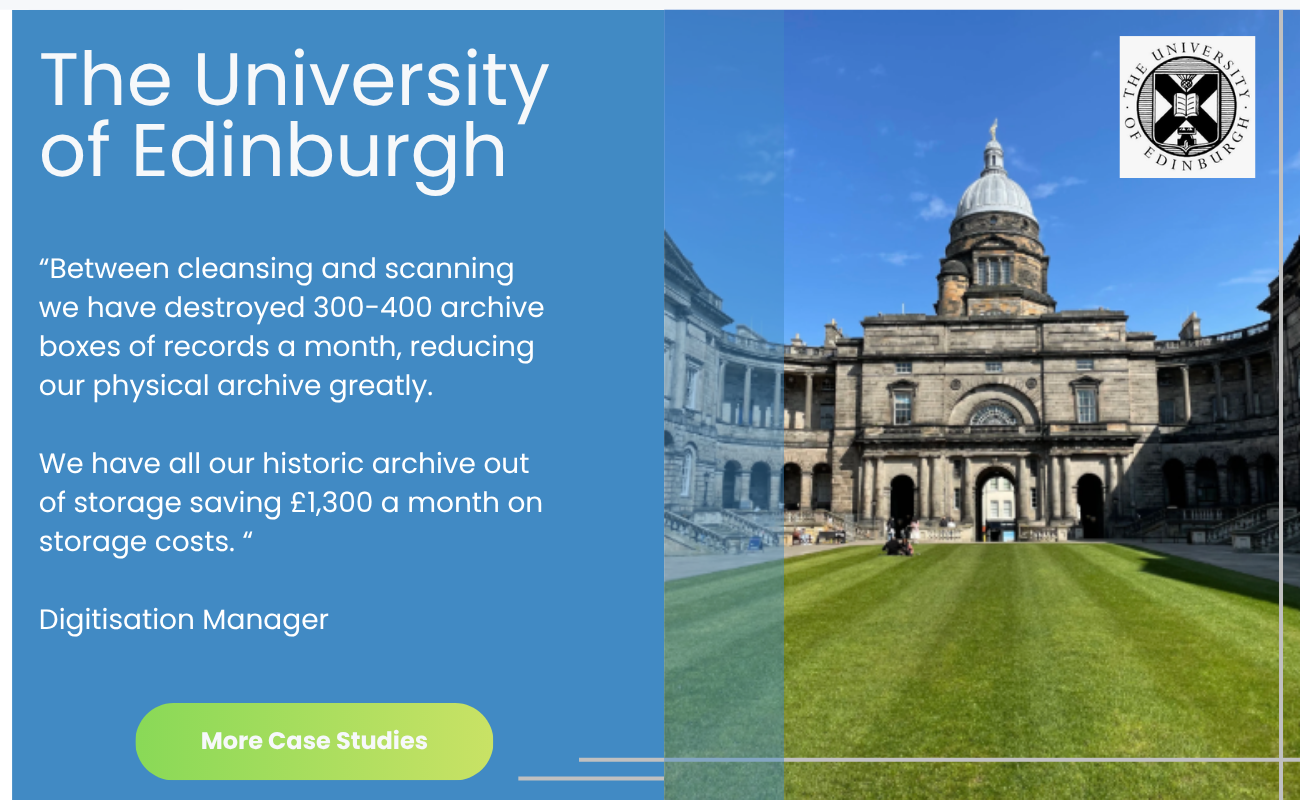
University of Edinburgh scanner customer feedback
Get A Scanner Quote

Get a Scanner Recommendation and Quote

Compare document scanner options

Tell us what you scan, your typical daily volume and where documents need to go. We’ll review your requirements and recommend a Kodak Alaris scanner and relevant software.

What to Include in Your Enquiry

  • Document sizes and types
  • Daily and peak scanning volumes
  • Network, wireless or shared-use needs
  • Existing document management or business software
  • Any support or warranty requirements

JP Tutoring scanning solution customer feedback

How Did JP Tutoring Automate Exam Processing?

JP Tutoring worked with DocTech and Kodak Alaris to automate its labour-intensive mock exam marking process while retaining paper-based exams.

  1. Scan: Digitise handwritten answer sheets.
  2. Extract: Capture responses from the scanned documents.
  3. Check: Compare responses with an answer database and flag inconsistencies for review.

Results Within Hours

JP Tutoring reports reduced human error and savings of around £11,000 per year, alongside faster results delivery.

Read the JP Tutoring Case Study →

Compare Kodak Alaris A4 and A3 Scanners

Find The Right Scanner

KODAK
S2085F

S3100f

Get a Quote

KODAK
E1040

1040

Get a Quote

KODAK
S2080w

S2000

Get a Quote

KODAK
Scanstation 730Ex

730EX

Get a Quote

A4

A3

Speed Pages per min / Images per min

Integrated Flat Bed

Networkable

Wireless

Feeder Capacity

Max Volume per day

Warranty

Extended Warranty

Extra Info

Bundled Software

KODAK
S2085F

S3100f

A4 Available

A3 Not Available

Speed Pages per min / Images per min 85 ppm / 170ipm

Integrated Flat Bed Available

Networkable Available

Wireless Not Available

Feeder Capacity 300 Sheets of 80 g/m2

Max Volume per day 20,000

Warranty 3 Year Advanced Unit Replacement

Extended Warranty Yes - Price on Request

Extra Info A3 Flatbed Accessory

Bundled Software Smart Touch, Capture Pro Limited Edition

Get a Quote

KODAK
E1040

1040

A4 Available

A3 Not Available

Speed Pages per min / Images per min 40ppm / 80ipm

Integrated Flat Bed Not Available

Networkable Not Available

Wireless Not Available

Feeder Capacity 80 sheets of 80g/m2

Max Volume per day 5,000

Warranty 3 Year Advanced Unit Replacement

Extended Warranty Yes - Price on Request

Extra Info A4 Flatbed Accessory, Passport Accessory

Bundled Software Smart Touch

Get a Quote

KODAK
S2080w

S2000

A4 Available

A3 Not Available

Speed Pages per min / Images per min 80ppm / 160ipm

Integrated Flat Bed Not Available

Networkable Available

Wireless Available

Feeder Capacity 80 sheets of 80g/m2

Max Volume per day 12,000

Warranty 3 Year Advanced Unit Replacement

Extended Warranty Yes - Price on Request

Extra Info A4 Flatbed Accessory, A3 Flatbed Accessory, Passport Accessory

Bundled Software Smart Touch, Capture Pro Limited Edition

Get a Quote

KODAK
Scanstation 730Ex

730EX

A4 Available

A3 Not Available

Speed Pages per min / Images per min 70ppm / 140ipm

Integrated Flat Bed Not Available

Networkable Available

Wireless Not Available

Feeder Capacity 75 sheets of 80g/m2

Max Volume per day 6,000

Warranty 1 Year Advanced Unit Replacement

Extended Warranty Yes - Price on Request

Extra Info A3 Flatbed Accessory

Bundled Software

Get a Quote

Find The Right Scanner

KODAK
S3060

Kodak Alaris S3060

Get a Quote

KODAK
S3100F

S3100f

Get a Quote

KODAK
S3140Max

S3140

Get a Quote

A4

A3

Speed Pages per min / Images per min

Integrated Flat Bed

Networkable

Wireless

Feeder Capacity

Max Volume per day

Warranty

Extended Warranty

Extra Info

Bundled Software

KODAK
S3060

Kodak Alaris S3060

A4 Available

A3 Available

Speed Pages per min / Images per min 60ppm / 120ipm

Integrated Flat Bed Not Available

Networkable Not Available

Wireless Not Available

Feeder Capacity 300 sheets of 80g/m2

Max Volume per day 25,000

Warranty 12 Month Warranty

Extended Warranty Upon Request

Extra Info A3 Flatbed Accessory

Bundled Software Smart Touch , Capture Pro Limited Edition

Get a Quote

KODAK
S3100F

S3100f

A4 Available

A3 Available

Speed Pages per min / Images per min 100ppm / 200ipm

Integrated Flat Bed A4 Flatbed

Networkable Not Available

Wireless Not Available

Feeder Capacity 300 sheets of 80g/m2

Max Volume per day 45,000

Warranty 12 Month Warranty

Extended Warranty Upon Request

Extra Info A3 Flatbed Accessory

Bundled Software Smart Touch , Capture Pro Limited Edition

Get a Quote

KODAK
S3140Max

S3140

A4 Available

A3 Available

Speed Pages per min / Images per min 140ppm / 280ipm

Integrated Flat Bed Not Available

Networkable Not Available

Wireless Not Available

Feeder Capacity 500 sheets of 80g/m2

Max Volume per day 70,000

Warranty 12 Month Warranty

Extended Warranty Upon Request

Extra Info A3 Flatbed Accessory

Bundled Software Smart Touch , Capture Pro Limited Edition

Get a Quote

Kodak Alaris Document Scanner Options

Explore scanner information, brochures and videos. Use the comparison table to shortlist models, then confirm specifications and warranty cover with DocTech.

Kodak Alaris S3000 Series Document Scanner

This is an A3 scanner which sets the new standard for capture, accuracy, security, and ease for any industry.

  • Colour touchscreen user interface with one touch destinations

  • Up to 140 pages per minute and 70,000 pages per day

  • 300 sheet feeder capacity with duplex scanning capabilities

  • Integrated A3 flatbed and controlled exit stacking and deflectors

  • Advanced Intelligent Document Protection, multi feed detections 

1 Year Warranty

12 months of world class onsite service. Options to increase to 3 years.
DocTech_S3000 Kodak Alaris Scanner (1)
Kodak Alaris S2085f Document Scanner

Compact A4 desktop scanning up to any task.  You can easily and accurately capture important information – from business cards to books and beyond.  Combining robust, reliable paper feeding and automatic image optimisation, this scanner is a great option for any industry. 

  • Colour touchscreen user interface with one touch destinations

  • Up to 85 pages per minute and 20,000 pages per day

  • 300 sheet feeder capacity with duplex scanning capabilities

  • Integrated A4 flatbed and controlled exit stacking and deflectors

  • Advanced Intelligent Document Protection, multi feed detections 

3 Years Advanced Unit Replacement

Should the unit break down, Kodak Alaris will send a replacement free of charge.

scanner-img
Kodak Alaris E1040 Document Scanner

Scan. Send. Done.  Transform your paper documents into intelligent and accurate information while enhancing your business processes.  The most productive and user-friendly scanner in the series with the ability to scan a variety of paper sizes and weights.

  • Small and quiet, ideal for reception areas or open plan offices

  • Up to 40 pages per minute and 5,000 pages per day

  • 80 sheet feeder capacity with duplex scanning capabilities

  • One-touch scanning of up to 9 different jobs

  • Scan a variety of document types and sizes, including passports
    and fragile documents via optional accessories

3 Year Advanced Unit Replacement

Should the unit break down, Kodak will send a replacement free of charge.

E1040_DocTech

Which Capture Software Fits Your Workflow?

Scanning creates a digital image. Capture software helps turn documents into information your business systems can use.

Kodak Capture Pro

Capture Pro supports batch scanning automation to convert physical forms, records and documents into digital files. Discuss your batch processing and document destination requirements with DocTech.

Kodak Info Input Solution

Info Input Solution processes documents from scanned paper, email attachments and mobile uploads. It supports data extraction, validation and integration with business systems, including handwriting extraction and Optical Mark Recognition.

Ask About Scanning and Capture Software →

Document Scanning Questions Answered

How Do I Choose Between A4 and A3 Scanners?

Choose around the largest documents you regularly scan. Compare the A4 and A3 tabs below, then check whether a flatbed accessory is needed for books, fragile documents or other originals. Features vary by model.

What Is the Difference Between ppm and ipm?

Pages per minute (ppm) measures sheets scanned; images per minute (ipm) counts captured sides. A duplex scanner can capture two images from a double-sided sheet. Compare the listed speed alongside feeder capacity and daily volume.

Can Scanning Help Automate Invoice Processing?

Yes. Scanning can be the first step in capturing invoice data and routing documents into an approval process. The setup depends on your capture software, document formats and finance system. DocTech can review these requirements with you.

Can the Software Read Handwriting and Marked Answers?

Info Input Solution supports handwriting extraction and Optical Mark Recognition. JP Tutoring’s case study shows how scanned handwritten exam responses can be extracted, checked against an answer database and flagged for review.

What Scanner Support and Warranty Options Are Available?

Warranty and replacement arrangements vary by model and package. The comparison tables list the options currently shown on this page. Ask DocTech to confirm the warranty, support cover and any extensions for your chosen scanner before ordering.

Why Choose DocTech for Scanning Solutions?

DocTech is a Kodak Alaris Elite Partner with more than 10 years of partnership experience. Get advice on scanner selection, capture software and how scanned information will fit into your business processes.

Lowest Price Guarantee

If you find a lower price on a Kodak Alaris scanner from another authorised website, DocTech will beat it. Share the details with us when requesting your quote.

Get In Touch

Connect Scanning to Your Business Systems

Tell us which systems need your scanned documents and extracted data. DocTech can review integration requirements alongside the scanner and capture software, so your recommendation covers the complete process.
Kodak Alaris Elite Partner Kodak Alaris partner award

Discuss Your Scanning Requirements →

What Do Our Scanning Customers Say?

Read feedback from customers using Kodak Alaris scanners and scanning solutions supplied by DocTech.

The Kodak Alaris package from DocTech has truly changed my business. They took their time to understand everything I was looking for, and then worked side-by-side with me to create it. Together, using my ideas and their technical expertise, we created an amazing solution that is far superior to anything else out there.
The scanners we use are so fast and rarely jam. This means what used to take a day to scan now only takes the time required for the team to prep the documents.
Between cleansing and scanning we have destroyed 300-400 archive boxes of records a month, reducing our physical archive greatly. We have all our historic archive out of storage saving £1,300 a month on storage costs.