 Author: Laura Bulmer
If your business relies on shared inboxes like accounts@, orders@ or info@, you’ll already know the challenges.
Emails get missed. Attachments are lost. Important documents sit in someone’s inbox instead of being actioned. And when someone is off? Everything slows down.
It’s a common problem and one that companies like BSW Timber have already solved.
For many organisations, email has become an unstructured document management system.
Invoices, purchase orders, delivery notes, contracts, they all arrive via email. But without a process behind it, this creates:
Even worse, emails often sit outside your core systems, meaning your finance or operations teams are constantly switching between inboxes and software.
.png?width=600&height=369&name=Ap%20in%20action%20bsw%20%20(2).png)
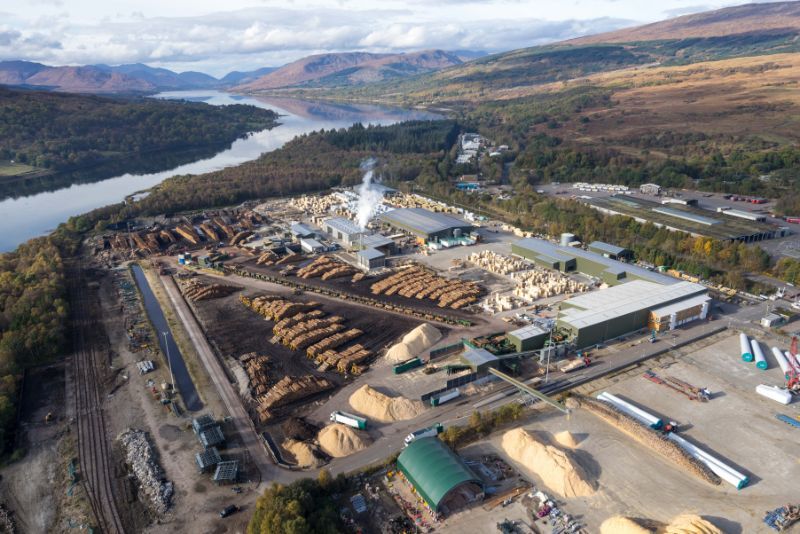
When BSW Timber first implemented DocuWare, they were dealing with high volumes of paper and manual workflows. Over time, this evolved into a fully digitised, automated environment, particularly within finance.
A key part of this transformation was removing reliance on inbox-based processing.
Instead of manually handling emailed documents, they introduced automated capture, storage and workflow, creating a single, centralised system for all incoming information.
The result?
.png?width=600&height=369&name=What%20is%20a%20DM%20%20(1).png) How Can DocuWare Automate Your Emails?
How Can DocuWare Automate Your Emails?DocuWare integrates directly with your email systems (e.g. Outlook), allowing you to automatically capture and process incoming emails and attachments.
Here’s how it works:
Emails sent to shared inboxes (e.g. accounts@) are automatically imported into DocuWare no manual saving required.
Using Intelligent Document Processing (IDP), DocuWare can read and extract key data from attachments like invoices even from complex formats.
Documents are categorised and indexed automatically, making them instantly searchable and eliminating manual filing.
Documents are routed to the right person or department for approval or action without relying on email forwarding.
Everything is stored in one system, giving your team a single source of truth with full audit trails and access control.
Modern businesses aren’t struggling with a lack of information they’re struggling with where that information lives.
Email is one of the biggest bottlenecks.
DocuWare solves this by turning your inbox into a structured, automated process connecting it directly to your wider systems like finance or ERP.
And with recent innovations like:
…it’s never been easier to modernise without ripping out existing systems.
BSW Timber didn’t just digitise documents they removed email as a bottleneck.
By automating how emails are captured, stored and processed, they created faster workflows, reduced admin, and gained full visibility across their operations.
If your team is still manually managing shared inboxes, the opportunity is clear:
Stop managing emails. Start automating them.


 info@doctech.co.uk
 0161 647 7040