
 Author: Laura Bulmer
For many years, connecting your accounting software with a document management system was a relatively straightforward exercise. Invoices arrived in a predictable format, approval routes were fixed, and the data fields mapped neatly between applications.
While that approach served its purpose, accounting software integration workflows have grown far more complex as organisations handle a wider variety of document types, communication channels, and regulatory requirements.
When those connections falter, the consequences go beyond a single failed sync. Invoices stall in approval queues, GL codes mismatch, and month-end close becomes an exercise in detective work.
This guide walks you through the most common reasons document workflows break inside accounting integrations, how to diagnose each failure point, and what you can do to prevent recurring disruption.
DocTech has supported accounting integration projects for over 30 years, working closely with finance and operations teams across the UK to resolve exactly these kinds of challenges.
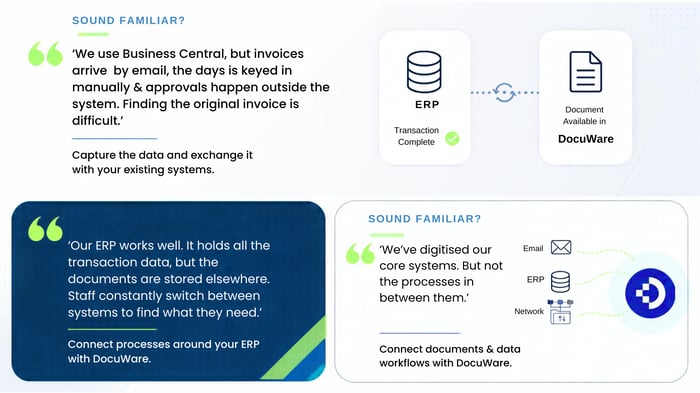 A document workflow in this context refers to the automated path a financial document follows from the moment it enters your organisation to the point it is recorded, approved, and archived.
An invoice, for example, may arrive by email, get captured by OCR (Optical Character Recognition), have its data extracted and validated, route through an approval chain, and then export into your finance system.
Each of these stages involves a handoff between systems. The document management platform captures and indexes the invoice, while the accounting software (such as Sage, Xero, or Dynamics) receives the financial data for posting. When any handoff in that chain fails, the entire workflow stalls.
For organisations that process hundreds or thousands of invoices each month, even a brief interruption in this chain can result in delayed payments, missed early payment discounts, and inaccurate financial reporting.

There is rarely a single cause. Document workflow failures in accounting integrations tend to fall into several categories, and in many cases, multiple issues compound one another.
When your accounting software updates its chart of accounts, adds new GL segments, or renames cost centres, the field mappings between your document management system and finance application can become misaligned.
An invoice that previously routed to the correct nominal code may now reject because the target field no longer exists or its format has changed.
This is especially common after ERP upgrades or when new departments or projects are introduced mid-year. If the integration is not updated in tandem with these structural changes, data will either fail to sync or post to incorrect accounts.
API connections between your document management platform and accounting software rely on authentication tokens or service account credentials. These credentials have expiry dates, and if they lapse without renewal, the connection silently dies. Invoices continue to queue up in the document management system, but nothing reaches your finance software.
This type of failure is particularly damaging because it often goes unnoticed for days. As one industry guide on ERP integration breakage notes, expired-credential failures are common and entirely preventable with expiry monitoring and proactive rotation.
Intelligent Document Processing (IDP) and OCR technology have improved significantly, but they are not infallible. Invoices that arrive in non-standard formats, with poor scan quality, or from new suppliers that the system has not yet learned to recognise can result in incorrect data extraction.
Misread invoice numbers, wrong amounts, or unrecognised supplier names create downstream validation failures when the accounting software rejects the incoming data.
.png?width=500&height=308&name=AP%20Automation%20%20(2).png) Approval workflows are typically rule-based: invoices above a certain value go to a senior approver, invoices from specific suppliers route to particular departments.
Approval workflows are typically rule-based: invoices above a certain value go to a senior approver, invoices from specific suppliers route to particular departments.
When these rules are not maintained alongside changes to your organisational structure, invoices can route to people who have left or to approval chains that no longer reflect your current delegation of authority.
Many integrations operate on scheduled sync intervals rather than in real time. If your accounting software is undergoing maintenance or a reporting lock during the sync window, the data transfer may fail.
The document management system records the export as sent, but the accounting software never receives it.
When an integration stops working, methodical troubleshooting saves hours of guesswork. The following steps reflect a diagnostic approach used by experienced integration teams.
Start by identifying which stage of the workflow stalled. Is the document captured correctly in the document management system? Has the data been extracted and indexed? Did the approval workflow complete? Was the export to the accounting software triggered, and if so, did it succeed?
Most document management platforms (including DocuWare) maintain detailed task logs and audit trails that show exactly where a document stopped progressing. Checking these logs first narrows the investigation immediately.
If the failure appears to be at the export or sync stage, verify that the API connection between systems is active. Look for expired tokens, changed passwords, or revoked service account permissions.
In DocuWare environments, the integration settings will show the last successful connection timestamp, which quickly reveals whether the link has been down for minutes or days.
Did your accounting software receive a recent update? Was a new GL segment added? Were user roles or permissions adjusted?
The majority of integration breakdowns follow a change on one side that was not communicated to the other. Cross-referencing the failure timeline with your change log often pinpoints the root cause.
Failed records typically carry error codes or messages. A "field not found" error points to a mapping issue. A "403 Forbidden" response indicates an authentication or permissions problem. A timeout error suggests the accounting system was unresponsive during the sync attempt. Each error type calls for a different remediation path.
Once you have a theory about what caused the failure, run a test invoice through the workflow. Use a document with clean data that previously synced without issues. If the test document passes, the problem is data-specific. If it also fails, the issue lies in the integration configuration itself.
Understanding specific failure scenarios helps you build resilience into your document workflows before problems occur.
Organisations using Sage 50 often rely on the Audit Trail Transaction import function to bring invoice data from their document management system into Sage. When Sage updates its data structure or a new nominal code is introduced without updating the mapping, the import rejects the transaction batch.
The invoices sit in a holding state, and the finance team may not realise the data never reached Sage until they reconcile at month end.
DocTech has extensive experience with Sage integration, working across Sage 50, 200, and X3 environments to ensure that data capture, validation, and export remain aligned as Sage evolves.
Microsoft Dynamics environments are particularly susceptible to field mapping drift after version upgrades. New Business Central releases may rename fields, restructure dimensions, or change API endpoints. If your document management workflow still references the old field structure, invoices will fail to post or, worse, post to the wrong accounts.
A phased approach to ERP upgrades, where the integration is tested in a sandbox environment before production changes go live, significantly reduces this risk.
Xero enforces API rate limits that restrict the number of calls an integration can make per minute. Organisations that process high volumes of invoices in short bursts (such as during a monthly billing run) may hit these limits, causing sync failures.
The documents are captured and approved, but the final step of posting to Xero times out or is throttled.
Configuring your integration to stagger export batches and implementing a retry queue addresses this issue without requiring changes to your core workflow.
Fixing a broken workflow is important, but preventing the next failure is where the real value lies. The following measures address the root causes rather than the symptoms.
Set up monitoring that tracks the last successful sync timestamp for each integration point. Configure alerts that notify your team when a sync has not completed for a defined period (for example, four hours). This catches silent failures before they compound into a close-day crisis.
In practice, organisations that monitor their integration health proactively spend far less time on emergency troubleshooting than those that only discover failures at month end.
One of the most frequent problems after a breakdown is the blame loop: the accounting software vendor points to the document management partner, who points to the implementation team, who points back to the accounting vendor.
Define ownership across three lanes before go-live: the document management vendor (for their connector), the ERP or finance software publisher (for changes on their side), and your internal IT team (for custom configurations).
Before applying any update to your accounting software or document management system, check whether the change affects the integration. This includes GL restructures, new approval thresholds, and platform version upgrades.
Testing the integration in a sandbox or staging environment before pushing changes to production is the most reliable safeguard.
Maintain a register of all service accounts and API tokens used by your integrations. Record their expiry dates and set calendar reminders well in advance of renewal deadlines.
Rotate credentials on a regular schedule rather than waiting for them to expire. Use dedicated service accounts rather than credentials tied to individual staff members, which break when that person changes role or leaves the organisation.
Regular updates to your document management system ensure compatibility with the latest versions of your accounting software. DocuWare, for example, regularly releases updates that include improvements to workflows, security, and configuration. Staying current reduces the risk of compatibility drift between systems.
The quality of data entering your workflow directly determines its reliability downstream. If the initial capture is inaccurate, every subsequent step (validation, routing, approval, and export) inherits that inaccuracy.
Modern Intelligent Document Processing (IDP) goes beyond basic OCR. Platforms such as DocuWare use machine learning to recognise invoice layouts, learn from corrections, and improve extraction accuracy over time. When a finance administrator corrects a misread field, the system remembers that correction and applies it to future invoices from the same supplier.
This learning capability is particularly valuable for organisations that receive invoices from a large and varied supplier base, where invoice formats differ widely.
Before data is exported to your accounting software, your workflow should include validation rules that check for missing fields, duplicate invoice numbers, and values that fall outside expected ranges. Catching these issues before they reach the accounting system prevents rejection and re-work.
DocTech routinely configures these validation and GL coding rules for organisations using DocuWare, ensuring that the data reaching Sage, Dynamics, Xero, or other platforms is clean and correctly categorised before it arrives.
Not every workflow failure requires external help. Expired credentials, straightforward mapping corrections, and routing rule adjustments can often be handled internally by your finance or IT team. However, certain scenarios call for specialist involvement.
If invoices continue to fail after you have checked mappings, credentials, and routing rules, the upgrade may have introduced deeper structural changes to the API or data model. Your integration partner will have visibility into the specific changes and can update the connector accordingly.
When your organisation adopts a new accounting platform, adds a new department with its own purchase order process, or needs to connect additional systems, your integration partner can scope and build the connections properly from the outset.
This avoids the common pitfall of ad-hoc configurations that work initially but break under load or after an update.
If your accounting workflow requires functionality that goes beyond the standard connector (such as bidirectional data sync or integration with industry-specific software), a bespoke API integration built by an experienced team ensures long-term reliability.
DocTech's in-house technical team builds and maintains these custom integrations without outsourcing, meaning your configuration is documented and supported by the same people who built it.
Document workflow failures do not just create operational inconvenience. They carry compliance implications, especially for organisations subject to HMRC requirements, Making Tax Digital (MTD) obligations, or industry-specific regulations.
When documents fail to sync between your document management system and accounting software, gaps appear in your audit trail. An invoice may be approved in DocuWare but never posted in Sage, or a payment may be recorded in Xero without a corresponding approved document.
These gaps are precisely what auditors flag, and they undermine the integrity of your financial records.
A properly integrated document management system acts as your single source of truth for financial documentation. When a supplier queries a payment or an auditor requests evidence of an approval, your team should be able to retrieve the document instantly from one location, with a complete audit trail showing every action taken.
When the integration is working correctly, every invoice, purchase order, and delivery note is indexed, linked, and accessible from both the document management system and the accounting software. When it breaks, that visibility fragments.
When reviewing your current document management and accounting integration, there are several key questions to consider:
Document workflow failures in accounting software integrations are not rare edge cases. They are a predictable consequence of systems that evolve at different speeds. Your accounting software updates, your organisational structure changes, staff come and go, and the integration sits between these moving parts, absorbing the strain.
Organisations that invest in proactive monitoring, structured change management, and clear ownership of their integration points are better positioned to catch failures early, resolve them quickly, and keep their financial operations running accurately.
DocTech are based in Bury, in the North of England, and have been delivering document management and workflow automation solutions for over 40 years. As DocuWare specialists for nearly 30 years, the team at DocTech can integrate DocuWare with your existing finance and ERP systems, including Sage, Xero, Dynamics, SAP, and many more.
If you'd like to discuss how your organisation can resolve or prevent document workflow failures in your accounting integrations, the team at DocTech can help you explore the right approach for your specific environment.

Failures typically result from misaligned field mappings, expired API credentials, OCR misreads on non-standard invoice formats, or routing rules that have not been updated to reflect organisational changes. These issues compound when integration health is not actively monitored.
Set up monitoring that tracks last-successful-sync timestamps and alerts your team when a threshold is breached. Without active monitoring, silent failures often go undetected until month-end reconciliation reveals missing transactions.
DocTech has extensive experience resolving Sage integration issues, including Audit Trail import rejections, mapping corrections, and GL code alignment across Sage 50, 200, X3, and Intacct. The team diagnoses the root cause and reconfigures the integration to prevent recurrence.
Review your integration after every accounting software update, any change to your chart of accounts, and at least quarterly as a routine health check. DocTech recommends pairing these reviews with credential rotation and sandbox testing to catch issues before they reach production.
A native connector is maintained by the document management vendor and tested against each accounting software update. A custom integration is built specifically for your requirements and offers greater flexibility, but places the maintenance responsibility on your team or your integration partner.
It can. When documents fail to sync between your document management system and accounting software, gaps appear in your audit trail. DocTech configures DocuWare with full audit trail tracking, digital stamps, and permission-based access so that every action on a financial document is recorded and retrievable.
DocTech takes a preventative approach that includes proactive monitoring guidance, structured change management, credential management best practice, and ongoing post-implementation support. The in-house technical team handles all configurations directly, meaning your integration is documented and supported by the people who built it.


 info@doctech.co.uk
 0161 647 7040