.png?width=1200&height=1200&name=SMEs%20(1).png)
With decades of experience delivering automated document management solutions, our team works closely with you to recommend practical improvements. We provide clear process maps showing your current and future workflows, ensuring everyone understands how the new solution will work.
A well-designed document workflow helps your business complete tasks faster, reduce manual administration and ensure documents always reach the right people at the right time.
At DocTech, we work with organisations to understand how documents move through their business, identify areas where processes can be improved and design digital workflows that remove unnecessary steps.
Using DocuWare workflow automation, we help businesses introduce structure, consistency and visibility into everyday processes. Automated rules ensure tasks are routed correctly, approvals are completed quickly and exceptions are flagged early—helping prevent delays before they become problems.
Digital document workflows are a key part of any digital transformation strategy, providing a clear visual representation of how information moves through your organisation. Before recommending a solution, we map your existing processes, identify opportunities for improvement and create a future-state workflow designed around your goals.
Discover how we help our clients such as cleaning product manufacturer Challs streamline their document processes with digital workflows.

A document workflow is part of automated document management software. The workflow is is the journey a document follows from creation or receipt through to approval, processing and secure storage.
For many organisations, this journey still relies on manual tasks:
Document workflow software from DocuWare replaces these manual steps with intelligent automation, ensuring every document follows a consistent, controlled process.
There is no need to search where a document is up to or who needs to action it next. Everything is managed automatically.
If workflows in your organisation consist of passing paperwork around, saving documents in network folders or sending emails to colleagues to trigger actions - there's room for improvement.
We are a 30 year provider of DocuWare. Watch this video to see the most commons questions about migrating to DocuWare:
Every organisation relies on documents to get work done. From approving invoices and processing contracts to onboarding employees and responding to customer enquiries, documents sit at the heart of almost every business process.
When those processes depend on emails, paper forms or manual approvals, work slows down. Documents become difficult to track, approvals are delayed and valuable time is spent chasing colleagues instead of completing tasks.
At DocTech, we help our clients to automate document workflows using DocuWare, giving you complete visibility over every stage of your business processes. Documents are routed automatically to the right people, approvals happen faster and every action is securely recorded.
Whether you're looking to streamline a single process or transform document handling across your organisation, we can help you create efficient, digital workflows that save time and improve control.
At DocTech we work with our clients to map out organisational processes and see where workflow automation can be implemented, leading to increased productivity and profit. Nothing is presumed or missed out. All projects involve full scope of works report sign off before anything is built.

Document workflow software is a system put in place to track, edit, store and manage business documents, often using software to automate associated business processes.
.png?width=450&height=450&name=Enterprise%20Workflow%20Management%20Software%20(1).png) Manual document processes cost businesses far more than they realise.
Manual document processes cost businesses far more than they realise.
Employees spend valuable time searching for information, checking document status and following up outstanding approvals. Delays become common, mistakes increase and important documents can easily be overlooked.
The result is a more efficient business where employees spend less time managing documents and more time delivering value.
Every organisation has different processes, but the principles remain the same.
Documents arrive from multiple sources including email, scanners, electronic forms, ERP systems and shared folders.
Information is automatically identified and indexed, making documents easy to find and process.
Business rules automatically send documents to the correct person or department based on your workflow.
Users receive notifications when action is required. Approvals, comments
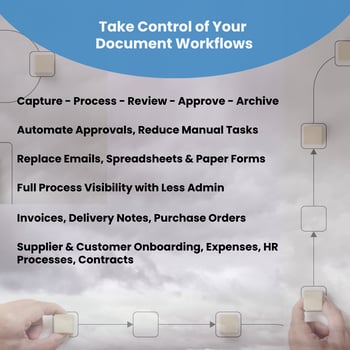
and decisions are recorded automatically.
Once complete, documents are securely stored with full version history and audit trails for future reference.
Every stage of document processing is visible, secure and fully traceable.
Document workflow is the process of managing how documents move through your organisation, from creation or receipt through to review, approval and secure storage.
A digital document workflow replaces manual processes such as email chains, paper forms and spreadsheet tracking with automated processes that ensure documents are routed to the right people at the right time. This improves efficiency, reduces delays and provides greater visibility over every stage of a process.
Document workflow automation uses software to manage repetitive document-based tasks automatically. Instead of employees manually forwarding documents, requesting approvals or checking progress, automated workflows use predefined rules to move documents through each stage of a process.
For example, an invoice workflow can automatically capture a supplier invoice, send it to the correct approver, record approval decisions and securely archive the completed document.
.png?width=500&height=308&name=strath%20quote%20%26%20image%20%20(1).png) Automating document workflows helps organisations save time, improve accuracy and gain better control over business processes.
Automating document workflows helps organisations save time, improve accuracy and gain better control over business processes.
Key benefits include:
By removing unnecessary manual steps, employees can focus on more valuable tasks while routine processes continue automatically.
Almost any document-based process can be automated. Common examples include:
At DocTech, we work with organisations to understand their existing processes and identify where workflow automation can deliver the greatest improvements.
A typical digital document workflow follows a series of automated steps:
The exact workflow is tailored around your organisation's requirements and existing processes.
Yes. Document workflow solutions can integrate with many of the systems businesses already use, including finance, ERP, HR and line-of-business applications.
DocTech specialises in integrating DocuWare with existing business software, allowing documents and workflows to become part of your everyday processes rather than a separate system.
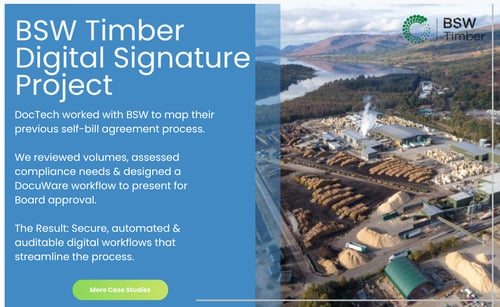 If your organisation relies on emails, spreadsheets or manual approvals to manage documents, there are likely opportunities to improve efficiency.
Common signs that workflow automation could help include:
A process review can help identify where automation will have the biggest impact.
DocTech works with organisations to map existing processes, identify improvements and design workflows that support business objectives.
With decades of experience delivering document management and automation solutions, we help businesses move from manual processes to efficient digital workflows using DocuWare technology.
With a document workflow solution, business processes are digitised and documents are stored in a central cloud-based system. Tasks can be set up to prompt employees when their input is needed on a particular document, such as approving or rejecting an invoice.
Workflows vary from simple approvals to those with added permeations on how a document is approved. These may include multiple approvals for higher values, checking cost centre approvers, substitutions where approvers are out of office and escalations after time lapses.
The whole premise of workflow is to speed up approvals whilst offering total transparency.
Digital document workflows combined with a document management system can be used in various areas of the business to simplify contract management, invoice processing, employee onboarding etc. With our partners at DocuWare and JobRouter we can provide a system to effectively manage documents, data, processes and tasks.

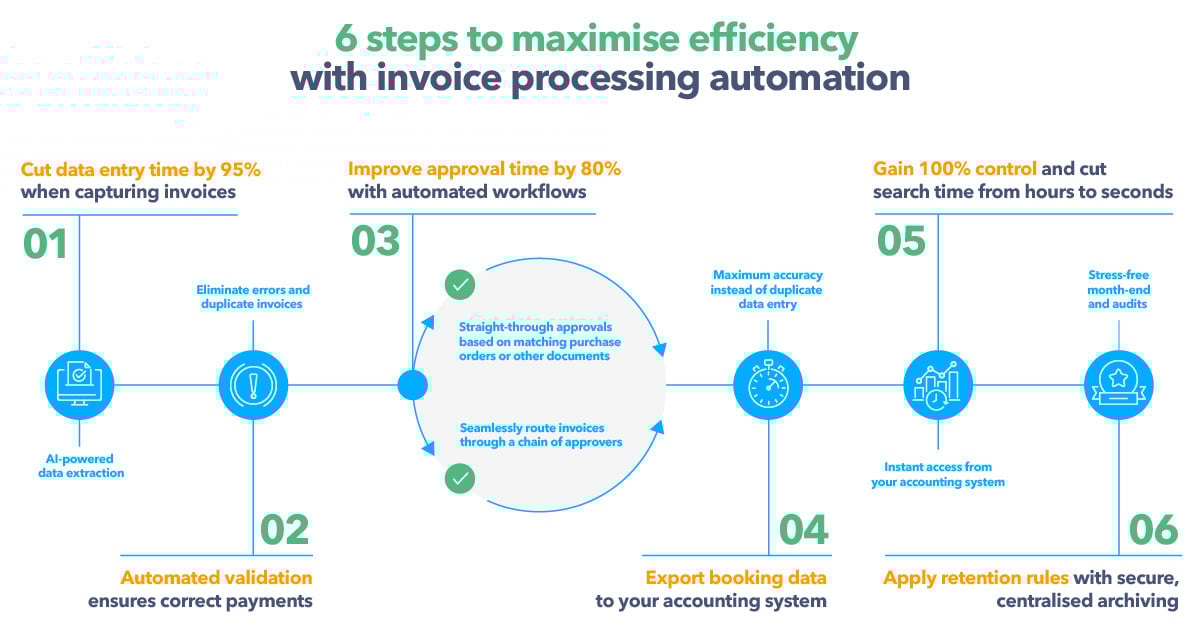
Document workflow software enables organisations to implement digital workflows that will assign tasks, as well as decide on substitutes or escalations should they be required. The software also specifies which document or action should start a workflow; such as storing an incoming invoice or receiving a digital form.
Document workflows can be created on the fly but for business processes such as those in accounts payable, pre-determined rules regarding how documents are routed around the business is agreed and created in advance as part of the project implementation.
Deadlines, retention rules or a change in the status of a document can also initiate workflows. The decisions around workflows must be planned, modelled and monitored. This task is performed by a document workflow tool which controls and monitors workflow management in the system.


 info@doctech.co.uk
 0161 647 7040
.png)
.png)

.png)


.png)