 Author: Sheridan Wilkinson
Cloud document management offers organisations a way to store and manage information without relying on physical filing systems. Documents of any type, including paper forms, emailed invoices or digital drawings, can be organised into a secure system accessed by users from multiple locations.
As many of us could no longer be without the cloud in our personal lives to back up photos and music, DocTech is seeing growth in organisations choosing to implement cloud document management over more traditional on-premise solutions.
Cloud document management is a web-based approach to storing, organising, analysing and tracking documents in digital format. By shifting to the cloud, businesses can reduce physical paperwork, printing and traditional filing while supporting sustainability goals.
At its core, a cloud document management system (DMS) serves as a centralised digital repository, allowing authorised users to access, edit and collaborate on documents from internet-connected devices. This supports workflows across departments, locations and time zones.
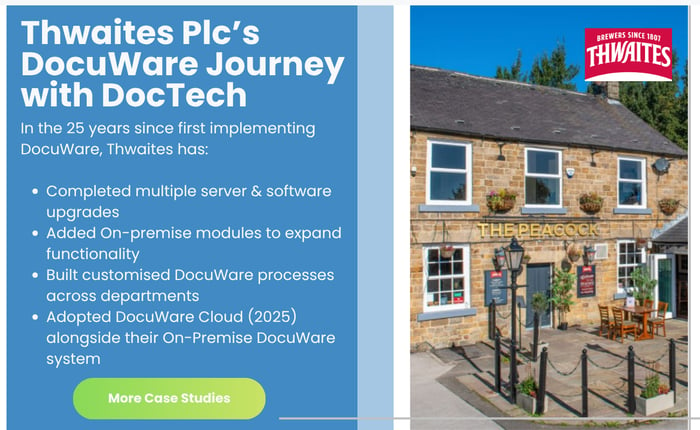
Cloud-based document management removes the need to host the document management platform on your own on-site servers. Instead, documents are stored on remote servers managed by the provider, reducing the infrastructure your organisation needs to maintain.
This approach can reduce capital investment and shift responsibility for platform hosting, updates and infrastructure maintenance to the provider. Your team still needs to manage access, configuration and how the system is used.
Cloud document management systems can scale with your business, whether you have dozens or thousands of files. You can add users, integrate tools and adjust workflows without being limited by your own physical server infrastructure.
More than online storage: features such as version control, audit trails, collaboration and advanced search help organisations move from paper-based processes towards more connected digital workflows.

There are numerous benefits of using cloud document management solutions, and organisations approach us for a variety of reasons. At the core of every issue, though, is a document-related process.
Documents may be stored in too many locations, making information hard to find. Invoices may be lost, revisions difficult to control, or employee records held without consistent compliance processes.
A cloud document management system can help address these issues and provide benefits for your business, employees and customers.
A cloud document management system supports hybrid working by allowing authorised employees to access documents without being restricted to the office. Work can be completed at home or when out on the road.
Document sharing, collaboration and communication can all improve. Documents are indexed and stored in a way that makes them easier to find, reducing lengthy searches through paper files or network folders.
Cloud software allows organisations to start with a specific process and expand as requirements grow. This can support a phased approach rather than changing every document process at once.
DocuWare Cloud includes tools such as Workflow Manager, Intelligent Indexing, digital form creation and integration tools.
With cloud document management solutions, you can automate tasks to improve processing times. Manual data entry and payment verification steps can be supported or replaced by configured system checks.
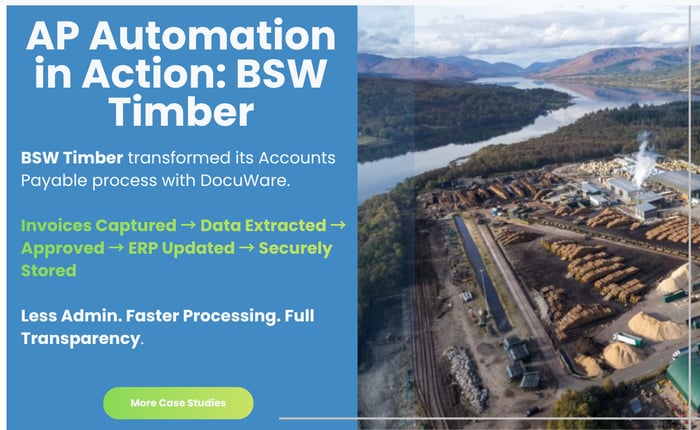
Paper and electronic invoices can be captured, their information extracted and validated, and relevant data passed into an integrated finance package.
Once in the system, invoices can be placed in the digital tray of the appropriate employee for processing. Alternatively, an automated workflow can match an invoice to a purchase order and route it for approval or authorisation according to your rules.
This can reduce invoice processing times and support faster payments and deliveries. Time previously spent on manual work can be put to use elsewhere, with employees able to complete document tasks at home or in the office.
Ensuring a safe and secure location for business documents is vital. Contracts, employee records and financial information should be protected from loss or theft while remaining available to authorised users.
Cloud document management can provide managed backups and recovery capabilities, helping protect information against accidental damage or disruption. Backup and recovery arrangements should be reviewed with your provider.
Encryption and access controls help protect information. Permissions can restrict access to particular document types depending on a person's role in the organisation.
Cloud solutions can also reduce reactive infrastructure work for internal IT teams, allowing more attention to strategic objectives such as system integration and workflow automation.

There are a number of cloud document management systems available, ranging from general file storage and collaboration platforms to dedicated document management and workflow automation solutions.
The best option will depend on what your organisation needs to achieve. If the requirement is simply to store and share files online, a platform such as Microsoft SharePoint may be sufficient. However, organisations looking to automate document-heavy processes, control how information moves through the business and integrate documents with other systems may require a dedicated document management system.
Here are some of the established cloud document management platforms businesses may consider:
| System | Best suited to | Key capabilities |
|---|---|---|
| DocuWare | Organisations looking to manage documents and automate business processes | Cloud document storage, workflow automation, intelligent data capture, electronic forms, task management and integrations |
| Microsoft SharePoint | Organisations already using Microsoft 365 with a focus on file sharing and collaboration | File storage, collaboration, permissions and Microsoft 365 integration |
| M-Files | Businesses with complex information and document classification requirements | Metadata-driven document management, workflows and information governance |
| Laserfiche | Organisations looking to digitise documents and automate processes | Document management, electronic forms, workflow and records management |
| OpenText | Larger organisations with extensive enterprise content management requirements | Enterprise content management, governance, records management and integrations |
Rather than comparing systems based purely on the number of features available, businesses should start by considering the processes they want to improve.
Do employees spend time manually entering information from invoices, orders or other documents?
Are documents spread across shared drives, inboxes and different business applications?
Do approvals rely on emails and reminders rather than a defined workflow?
Is it difficult to find the latest version of a document or provide information during an audit?
These requirements can help determine whether you need straightforward cloud file storage or a more comprehensive document management and workflow automation platform.
Look beyond the feature list: consider security and access controls, integration with existing finance or ERP software, automated data capture, workflow capabilities, scalability and the support available during implementation.
DocuWare Cloud combines secure document management with workflow automation, allowing organisations to manage both their documents and the processes surrounding them from one platform.
Documents can be captured from sources including email, scanners, electronic forms and other business applications. Information can then be automatically indexed, securely stored and routed through predefined workflows for review, approval or further action.
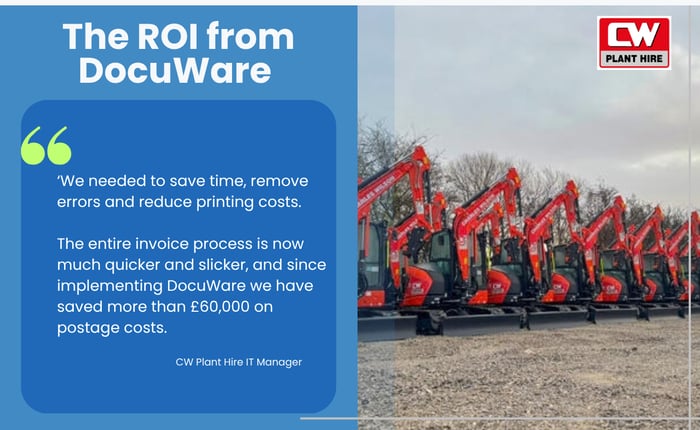
This makes DocuWare particularly relevant where the problem extends beyond simply where documents are stored. It can help organisations address manual processes such as invoice approvals, purchase orders, HR documentation, customer onboarding, contract management and other document-heavy workflows.
DocuWare can also integrate with existing ERP, finance and business applications, helping organisations improve document processes without expecting employees to abandon the systems they already use.

There is no single cloud document management system that will be the right choice for every organisation. The most suitable platform depends on the documents you manage, the processes surrounding them, your existing systems and what you want to automate.
At DocTech, we help organisations identify where document management and workflow automation can deliver the greatest improvements before designing and implementing a DocuWare solution around those requirements.
Our projects range from accounts payable and finance automation to HR document management, digital forms, customer onboarding and integration with existing ERP and business systems.
If you're considering cloud document management and want to understand whether DocuWare would be suitable for your requirements, talk to the DocTech team to arrange a demonstration.
Standalone systems that only work in isolation create disjointed processes. Work can be duplicated and there is a lack of visibility across the business.

A cloud document management system can integrate with a variety of third-party systems to streamline processes. Connection with an ERP system provides an exchange of information. An invoice can be linked to an ERP record and viewed within the ERP, reducing the need to leave the application and look up information elsewhere.
Integration with a finance system can automate invoice processing, reducing manual data entry and human error. The systems work together to support a faster turnaround on payments.


 info@doctech.co.uk
 0161 647 7040
